
-
Transportation
Strong start, lasting power

Traffic Starter Power Solution
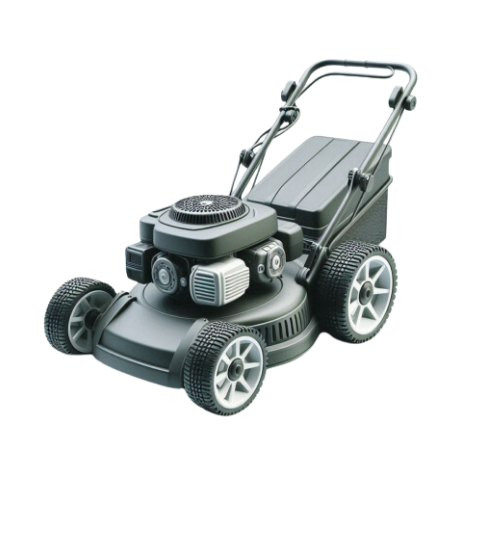
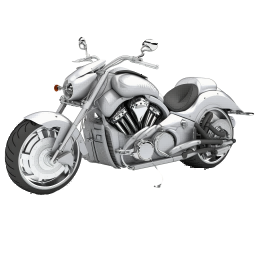
In the field of transportation, starter power is widely used in a variety of outdoor power equipment, such as motorbikes, all-terrain vehicles (ATVs), snowmobiles, etc., to provide strong starting ability and stable power support.OUTDO starter batteries have a number of core advantages, which are able to maintain excellent performance in multiple charge/discharge cycles; high power output ensures that the equipment can be quickly started in harsh environments; in addition, the vibration-resistant design makes them suitable for all kinds of complex road conditions, car models and harsh climates to ensure reliable operation of light vehicles. In addition, the vibration-resistant design of OUTDO starter batteries makes them suitable for all kinds of complex road conditions, car models and harsh climates, ensuring the reliable operation of light vehicles.
MORE

Lightweight Power Battery Solution
OUTDO lightweight power batteries are widely used in light transport vehicles such as two-wheelers, three-wheeled power assisted vehicles and golf carts to provide stable power support. Featuring high energy density and lightweight design, they can extend the range and improve the power performance of vehicles. In addition, OUTDO lightweight power battery has excellent charging and discharging efficiency and low-temperature starting ability, which can maintain stable performance even in cold environments.
OUTDO batteries also have good durability and can withstand frequent use and complex road conditions, suitable for a variety of daily and special application scenarios. Whether in urban commuting or outdoor sports, the lightweight power battery provides an highly efficient and environmentally friendly power solution for two-wheeled vehicles and golf carts, significantly enhancing the user experience.Industrial Applications
Provide sustainable and innovative solutions

Industrial Power Solution
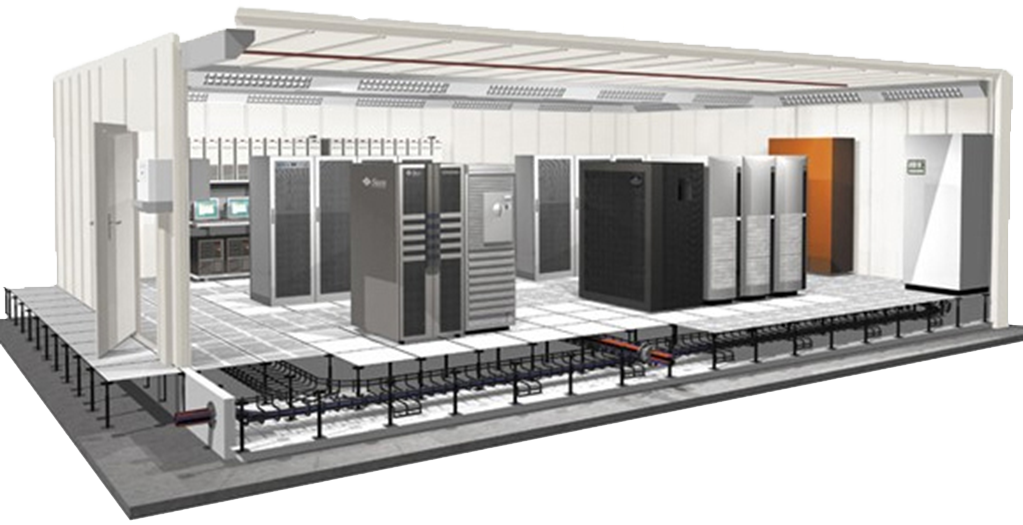
Industrial back-up power solutions are vital to an enterprise's data room, especially when it comes to ensuring the need for continuous, secure power supply. Uninterruptible power supply (UPS) + battery pack, as a commonly used power supply method, guarantees the stable operation of equipment with its unique advantages.UPS provides highly stable voltage and frequency through the combination of advanced pulse width frequency modulation technology and high-efficiency power devices and is able to quickly switch to a backup energy source during an outage in the external power grid to ensure uninterrupted power. Its high-efficiency inverter system isolates interference from the external power grid and reduces waveform distortion, providing better power protection for critical equipment.OUTDO CORP power battery solutions have been used in many national IDC projects around the globe, and are the first choice for the most ideal and secure power supply protection for modern IDC server rooms.

Energy Storage System Solution
The energy storage system provides a stable and efficient power management solution for home/industry and other areas through intelligent energy storage technology, which is especially suitable for homes with integrated solar and other renewable energy sources. The new OUTDO home energy storage system we offer has the advantages of safety, high energy density, long lifetime, innovative design, small footprint, etc. It can be easily installed in indoor garages or other small CBD office areas to achieve intelligent storage and distribution of electricity. When electricity prices are low or PV generation is abundant, the batteries can store excess power and release it during grid peaks or blackouts, ensuring a continuous and stable supply of electricity in multiple areas.
-

<svg t="1709037577113" class="icon" viewBox="0 0 1025 1024" version="1.1" xmlns="http://www.w3.org/2000/svg" p-id="6839" width="200" height="200"><path d="M919.307378 0 104.692622 0C46.925334 0 0 46.812397 0 104.692622L0 919.307378c0 57.880225 46.925334 104.692622 104.692622 104.692622L919.307378 1024c57.880225 0 104.805559-46.755928 104.805559-104.692622L1024.112937 104.692622C1024.112937 46.812397 977.187603 0 919.307378 0zM901.463329 225.478769c0 0-151.617955-55.339142-151.617955 57.259071l0 85.041579 147.891033 0-13.100695 140.493658-134.790339 0 0 478.796515-181.150987 0L568.694386 508.273078 479.925885 508.273078 479.925885 367.77942l88.768501 0L568.694386 282.737841 568.694386 220.001323c0 0-1.863461-114.122863 146.987537-146.987537 104.466748-23.15209 206.053601 10.220801 206.053601 10.220801L901.463329 225.478769z" p-id="6840"></path></svg>
View more<svg t="1709037647549" class="icon" viewBox="0 0 1024 1024" version="1.1" xmlns="http://www.w3.org/2000/svg" p-id="7941" width="200" height="200"><path d="M919.759462 318.994613c0-9.605475-0.184234-19.102577-0.608696-28.534655 41.060787-30.595551 76.68666-68.894629 104.863684-112.720738a403.247526 403.247526 0 0 1-120.68436 33.017692c43.401647-26.708567 76.68666-69.423851 92.415219-120.68436-40.638132 24.645865-85.589515 42.265535-133.383889 51.446549-38.295465-43.575045-92.944441-71.329413-153.358869-72.360764-116.027926-1.918205-210.084998 96.132418-210.084999 218.973404 0 17.460724 1.826088 34.394031 5.451171 50.745736-174.722834-11.243716-329.55016-102.190479-433.116978-239.293373-18.071226 32.847907-28.438925 71.237296-28.438925 112.377556 0 77.811934 37.090717 146.970271 93.44657 187.779994-34.500598-1.560574-66.819283-12.009553-95.166091-29.141545v2.85744c0 108.752474 72.440238 199.870827 168.560013 221.13003-17.621477 5.012259-36.207475 7.62044-55.322696 7.526516a191.542349 191.542349 0 0 1-39.500214-4.325895c26.708567 89.120675 104.332655 154.231274 196.231295 156.400543-71.923659 59.635948-162.525433 95.258208-260.892145 95.00895-16.960401 0-33.720311-1.137918-50.15149-3.200621 93.011271 63.80109 203.418242 100.960443 322.104923 100.960443 386.350343 0.092117 597.636477-336.191629 597.636477-627.962902z" fill="#231815" p-id="7942"></path></svg>
View more<svg t="1709037821478" class="icon" viewBox="0 0 1024 1024" version="1.1" xmlns="http://www.w3.org/2000/svg" p-id="12166" width="200" height="200"><path d="M260.096 155.648c0 27.307008-9.899008 50.516992-29.696 69.632-19.796992 19.115008-45.396992 28.672-76.8 28.672-30.036992 0-54.612992-9.556992-73.728-28.672-19.115008-19.115008-28.672-42.324992-28.672-69.632 0-28.672 9.556992-52.224 28.672-70.656 19.115008-18.432 44.372992-27.648 75.776-27.648 31.403008 0 56.32 9.216 74.752 27.648 18.432 18.432 28.331008 41.984 29.696 70.656 0 0 0 0 0 0m-202.752 808.96c0 0 0-632.832 0-632.832 0 0 196.608 0 196.608 0 0 0 0 632.832 0 632.832 0 0-196.608 0-196.608 0 0 0 0 0 0 0m313.344-430.08c0-58.708992-1.364992-126.292992-4.096-202.752 0 0 169.984 0 169.984 0 0 0 10.24 88.064 10.24 88.064 0 0 4.096 0 4.096 0 40.96-68.267008 105.812992-102.4 194.56-102.4 68.267008 0 123.220992 22.868992 164.864 68.608 41.643008 45.739008 62.464 113.664 62.464 203.776 0 0 0 374.784 0 374.784 0 0-196.608 0-196.608 0 0 0 0-350.208 0-350.208 0-91.476992-33.451008-137.216-100.352-137.216-47.787008 0-81.236992 24.576-100.352 73.728-4.096 8.192-6.144 24.576-6.144 49.152 0 0 0 364.544 0 364.544 0 0-198.656 0-198.656 0 0 0 0-430.08 0-430.08 0 0 0 0 0 0" fill="#272636" p-id="12167"></path></svg>
View more<svg t="1709037745931" class="icon" viewBox="0 0 1024 1024" version="1.1" xmlns="http://www.w3.org/2000/svg" p-id="10005" width="200" height="200"><path d="M512 359.657143c-83.885714 0-152.342857 68.457143-152.342857 152.342857S428.114286 664.342857 512 664.342857 664.342857 595.885714 664.342857 512 595.885714 359.657143 512 359.657143zM968.914286 512c0-63.085714 0.571429-125.6-2.971429-188.571429-3.542857-73.142857-20.228571-138.057143-73.714286-191.542857-53.6-53.6-118.4-70.171429-191.542857-73.714285-63.085714-3.542857-125.6-2.971429-188.571428-2.971429-63.085714 0-125.6-0.571429-188.571429 2.971429-73.142857 3.542857-138.057143 20.228571-191.542857 73.714285C78.4 185.485714 61.828571 250.285714 58.285714 323.428571c-3.542857 63.085714-2.971429 125.6-2.971428 188.571429s-0.571429 125.6 2.971428 188.571429c3.542857 73.142857 20.228571 138.057143 73.714286 191.542857 53.6 53.6 118.4 70.171429 191.542857 73.714285 63.085714 3.542857 125.6 2.971429 188.571429 2.971429 63.085714 0 125.6 0.571429 188.571428-2.971429 73.142857-3.542857 138.057143-20.228571 191.542857-73.714285 53.6-53.6 70.171429-118.4 73.714286-191.542857 3.657143-62.971429 2.971429-125.485714 2.971429-188.571429zM512 746.4c-129.714286 0-234.4-104.685714-234.4-234.4S382.285714 277.6 512 277.6 746.4 382.285714 746.4 512 641.714286 746.4 512 746.4z m244-423.657143c-30.285714 0-54.742857-24.457143-54.742857-54.742857s24.457143-54.742857 54.742857-54.742857 54.742857 24.457143 54.742857 54.742857a54.674286 54.674286 0 0 1-54.742857 54.742857z" p-id="10006"></path></svg>
View more<svg t="1734743183044" class="icon" viewBox="0 0 1024 1024" version="1.1" xmlns="http://www.w3.org/2000/svg" p-id="4454" width="200" height="200"><path d="M832 128l-640 0c-105.59488 0-192 86.40512-192 192l0 384c0 105.59488 86.40512 192 192 192l640 0c105.59488 0 192-86.40512 192-192l0-384c0-105.59488-86.40512-192-192-192zM384 768l0-512 320 256-320 256z" fill="#d81e06" p-id="4455"></path></svg>
View more






Enterprise Data Center UPS Maintenance: Daily Inspection SOP & Troubleshooting Guide
Release time:
2026-05-13
Share:
Introduction
In enterprise data centers and critical networks, the stability of the UPS system directly protects your core equipment. Missing daily inspections and delaying fault responses will speed up hardware aging (especially batteries) and cause unexpected downtime during power issues. Setting up a strict but simple UPS maintenance standard is essential to keep your business running smoothly.
I. UPS Daily Inspection Standard Operating Procedure (SOP)
To stop system risks early, maintenance teams should do a daily basic inspection. Include these 7 key points in your standard inspection log:
1. Input Power Quality
Standard: Check the front panel to confirm the input voltage and frequency are normal. Anomaly Check: Severe voltage drops or changes are not allowed. These will quickly damage the internal power components.
2. Operating Mode
Standard: Normally, the system must stay in "Inverter Mode" (or Normal Mode). Anomaly Check: Do not run the equipment in "Bypass Mode" or "Battery Mode" for a long time unless there is a real power outage or maintenance.
3. Load Capacity Control
Standard: Keep the system load between the optimal range of 30% to 70%. Anomaly Check: Do not run the equipment at over 80% capacity. The sudden power draw during startup can trigger an overload alarm or damage the inverter.
4. Battery Status
Standard: Check the status lights on the battery cabinet to ensure there are no alarms. Anomaly Check: Look for battery swelling, leaks, or unusual heat. Regularly check the connections. If you see loose cables or white/black rust, record it immediately and test the battery.
5. Server Room Environment
Standard: Keep the temperature in the UPS and battery area strictly between 20°C and 25°C, with humidity at 40% to 60%. Anomaly Check: Clean up any dust, water drops, or corrosive gases. For every 10°C increase in room temperature, battery life drops by about 50%.
6. Cooling and Ventilation
Standard: Make sure the cooling fans run smoothly and the dust filters are clean. Anomaly Check: Fix any noisy or stopped fans immediately. Poor airflow will cause heat to build up, leading to unexpected system shutdowns.
7. Alarm Panel
Standard: The display panel should have no active fault codes, no solid red lights, and no unusual beeping. Anomaly Check: Record and analyze any past alarms (even temporary ones) to prevent small issues from turning into major failures.

II. Common UPS Faults & Emergency Troubleshooting
When facing common problems, follow these steps for quick on-site fixes to reduce downtime.
Fault 1: Power Outage & Battery Mode Switch
System Behavior: Main power drops, the system beeps, the panel shows "Battery Mode," and equipment keeps running. Emergency Response:
Turn off non-essential devices (like extra printers or backup monitors) to save battery for core servers.
If power is out for a long time, safely shut down servers before the batteries drain completely to avoid permanent battery damage.
Once power returns, let the UPS charge continuously for 8 to 12 hours to fully recover battery health.
Fault 2: Battery Voltage Anomaly or Hardware Alarm
System Behavior: The fault light is solid red with a continuous beep. The panel shows "Battery Fault" or "Low Voltage," even when main power is normal. Emergency Response:
Check the battery circuit breaker. If it is tripped, try to reset it manually.
Check battery cables. Tighten any loose connections and clean any rusted areas.
If the lead-acid batteries are 3 to 5 years old, or still show low voltage after a full charge, buy a new set of batteries immediately.
Fault 3: System Overload Alarm
System Behavior: The overload light turns on with a continuous beep. The equipment might switch to bypass mode automatically. Emergency Response:
Quickly unplug non-essential equipment to bring the total load below 70%.
Check if anyone recently plugged in high-power devices or if there is a short circuit.
Clear the alarm on the system. If it still fails to start normally, call for repair.
Fault 4: Thermal Runaway & Cooling Failure
System Behavior: The system shows "Internal Temperature Too High." Fans stop or make loud noises. The system might shut down to protect itself. Emergency Response:
Clean the dust filters and make sure there is clear space around the equipment for airflow.
Lower the room air conditioning temperature. The risk is very high if the room is over 30°C.
If all fans fail, shut down the unit immediately to stop the internal parts from burning out.
Fault 5: Logic Deadlock & False Panel Alarms
System Behavior: Power and load are normal, but the panel keeps showing fault codes and beeping. Emergency Response:
Write down the fault codes.
Follow safety steps: Switch to Maintenance Bypass, turn off the Inverter, disconnect the main power, and turn off the battery breaker.
Wait 5 minutes for the system to fully power down, then restart it normally. If the alarm continues, contact technical support.
III. UPS Maintenance Safety Rules
Safety is the most important rule before touching any equipment:
Electrical Safety: Never unplug battery cables while the power is on. Do not force the battery breaker off while the system is running heavy loads to avoid dangerous electrical sparks.
Action Priority: Always protect personal safety first, core equipment second, and troubleshoot last. Do not blindly reset the system if you don't know the problem.
Room Safety: No open flames in the battery room. If batteries swell or leak acid, isolate them immediately and follow hazardous waste rules.
No Unauthorized Repairs: For deep internal damage like burnt boards, do not open the machine casing. You must call certified manufacturer engineers.
FAQ
Zhangzhou Huawei Power Supply Technology Co., Ltd.
Related link:
Official Account
We use optional cookies to improve your experience on our website through social media connections and other means, and place personalized advertisements based on your online activities. If you reject the optional cookies, we will only use the necessary cookies to provide you with the service. Privacy Statement